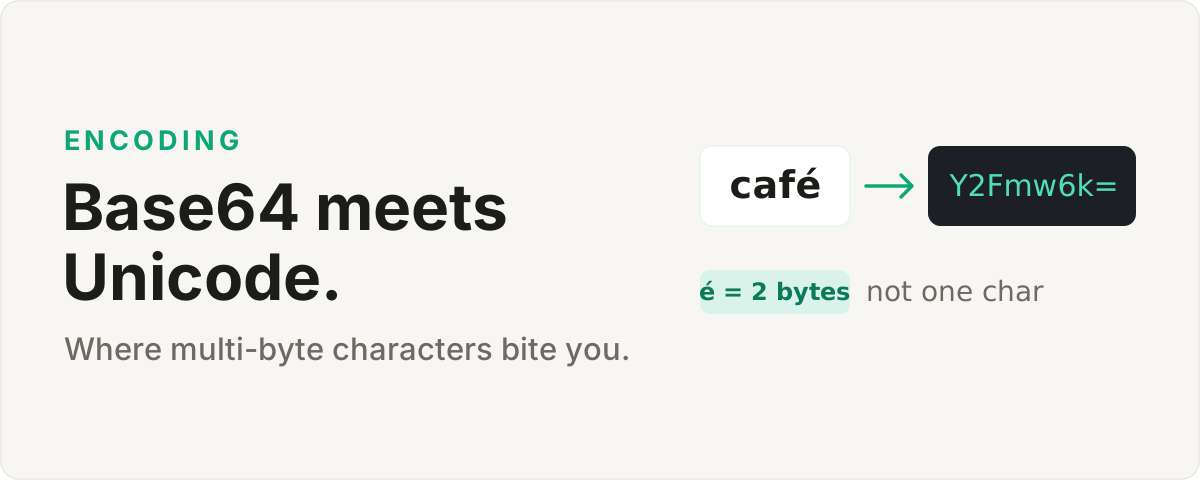
The trap
You wrap a string in Base64, ship it, decode it on the far end, and out comes mush where the accented letters used to be. "Café" comes back as "Café". The maddening part is that everything passed in testing, because your test strings were plain ASCII, and the bug only wakes up the first time a real user called "Zoë" or a price written in euros reaches the code.
Why it happens
Base64 encodes bytes. It knows nothing about characters, and that gap is the whole bug. Hand a naive encoder a string while it assumes one character equals one byte, and it works for "hello" and falls apart the moment a character needs two or three bytes to exist.
The usual culprit in the browser is calling btoa() straight on a Unicode string. For "hello" you get a clean result back. For "héllo" it either throws a character-out-of-range error or quietly corrupts the bytes, depending on how you got there. The letter é is not a single byte. In UTF-8 it takes two, a single emoji takes four, and btoa was designed for an era of one-byte characters that stopped being a safe assumption decades ago.
The fix
Turn the text into UTF-8 bytes first, then Base64 those bytes. In a modern browser that means a TextEncoder to produce a byte array, then Base64 over the array rather than the raw string. Decoding walks the same road backward: Base64 to bytes, then a TextDecoder to read the bytes back as UTF-8. Once that byte step is explicit and deliberate, "café", "Zoë", and a message that is nothing but emoji all survive the round trip with no special cases anywhere.
Try it on the Base64 tool with an emoji and watch it come back intact.